Office fit-out
Priya Shah
Discuss the fit-out scope
Pipeline Management
Keep enquiries moving without chasing the team for updates. See where each quote or job stands, who’s responsible and what needs attention next.
 Sales pipeline
Scroll across to see every stage.
Priya Shah
Discuss the fit-out scope
Tom Harris
Confirm the site details
Olivia Reed
Arrange a site visit
Daniel Brooks
Finish the installation quote
Mia Thompson
Arrange installation time
Rachel Evans
Arrange the first service
Mia accepts her quote.
Quote sent → Accepted
All team members. Mia has accepted her quote. Ben can record her decision. Ben remains responsible. Next action: arrange installation time.
Name and order stages around the way your business works. Keep different processes in their own pipelines.
See who’s responsible and when it’s due. Add a next-action field to make the follow-up clear.
Review progress on the board, scan the details in a table, or organise the same work by due date.
Built around your team
Keep the extra detail your team needs, make important opportunities easier to spot and put repeated actions closer to the record.
Add your own fields, choose which pipeline types use them and decide whether a value should appear directly on the board card.
Create custom quick-action buttons with the name, icon and colour your team recognises, so common work is easier to reach from the record.
Add colour-coded tags to pipeline items so the team can quickly recognise the work that needs a different kind of attention.
Route planning
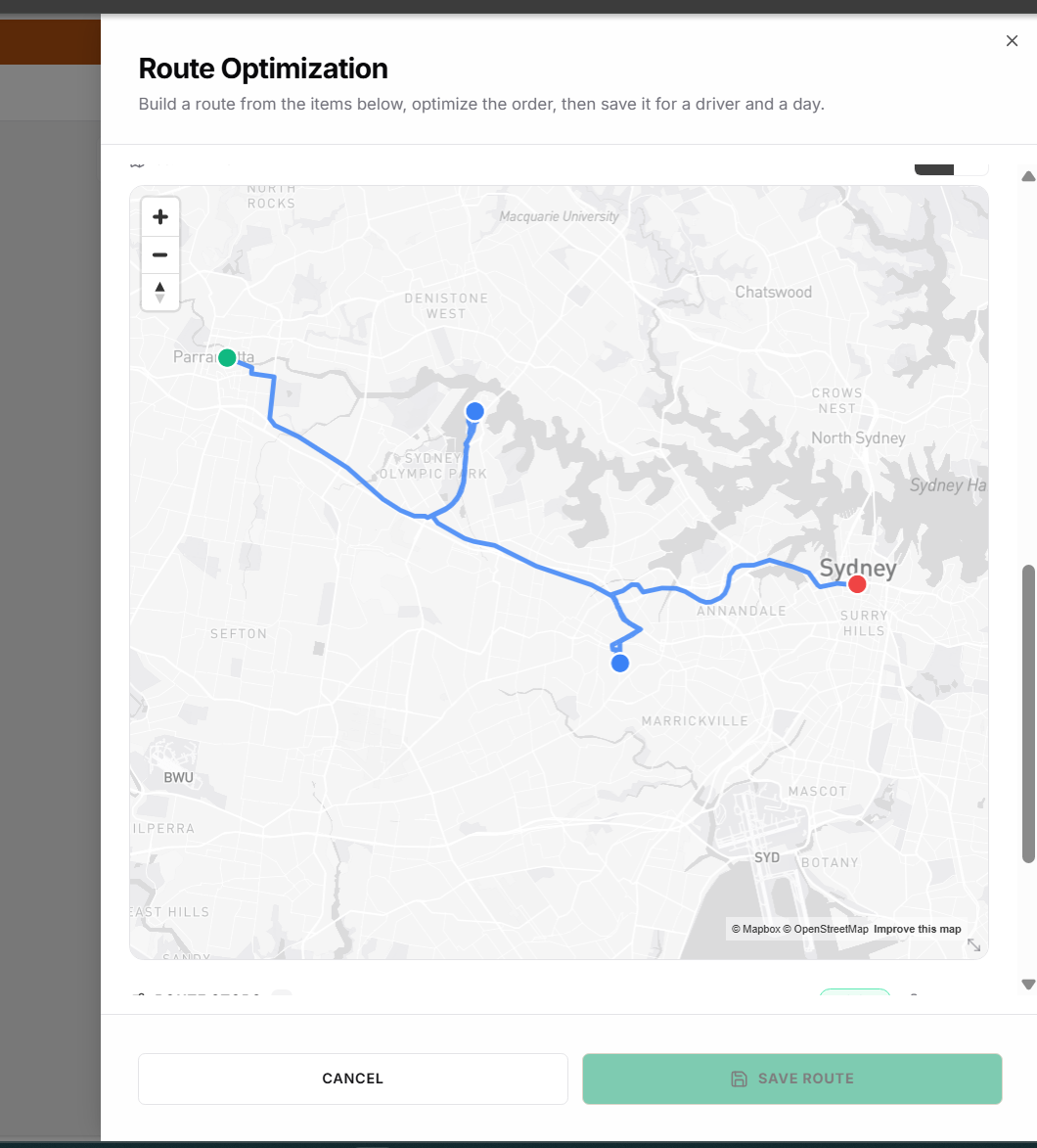
Choose jobs from your pipeline, optimise the stop order and save the route for a driver and date. Open the day’s route on your phone for directions in Google Maps.
 Routes
From the Service visits pipeline.
The same stops, on your phone.

Connected to your CRM
A stage tells you where things stand. The linked customer record keeps the messages, notes and details behind it within reach, so a colleague can pick up the next conversation or visit.
Guided Launch
Starting with spreadsheets and inboxes, or already using a CRM? We map how enquiries become work, then agree the pipelines, customer information and team access you need.
Guided Launch is the required, separately priced initial setup for a new standard plan. We agree the scope before work begins.
Talk through your setupUnlimited users on both standard plans. No per-user fees.
A configured workflow can respond to pipeline events. Keep the stages here, and build the agreed follow-up in Automation Builder.
Before you get started
Yes. Create pipelines around your different processes, with named stages in the order your team follows. Sales enquiries, customer work and other processes do not have to share the same stage definitions.
Yes. Filter items by assigned person and use the view that suits the question: Board for progress by stage, Table for record details, or Timeline to group the work by due date.
Choose pipeline jobs for the run, optimise their stop order and save the route for a driver and a date. You can filter the available items by pipeline, stage, due date and assigned user, and choose the route’s start and end options.
Yes. The driver can open the saved route on their phone and use Google Maps for directions. The jobs remain in the pipeline, so planning the visits does not mean keeping a separate list of work.
A stage change records progress. Use a custom field or note to record what the team should do next, and update it as the work changes. Configure agreed automated follow-up separately in Automation Builder. Moving a card does not by itself create an appointment or route.
We review your current process and tools first. Then we agree what belongs in Zapla, which data should move and what connections are available. Guided Launch gives the team a practical starting point without assuming every system should be replaced.
See it around your business
Walk us through how enquiries become work. We’ll map your stages, responsibilities and customer information, plus route planning if your team visits customers.
Book a Call